
Three ways to make a video
Quick AI
Pick an experience, upload a photo, and AI handles the rest — animation, music, timeline, and rendering. Behind the scenes, a full project is created for you. If you want to tweak anything later, just open the project in the full editor.
- 1
Pick an experience
Browse the gallery and choose a style. Each experience is a different creative recipe.
- 2
Upload your photo
Add 1–5 photos depending on the experience. That's all the input you need.
- 3
Watch it come together
AI generates animation, music, arranges the timeline, and renders your video. Download or open it in the full editor.
Available experiences
Singing Card
Make their photo sing — then send it.
Upload one photo and pick a short song — the face in it sings every word. Whoever is in the photo is the one singing: upload yourself and it arrives in your own face, or upload Grandma and she's belting happy birthday down the phone. One tap, and you have something to send instead of a text.
Cartoon Me
Become a cartoon of yourself — then watch it come alive.
Upload a selfie or couple photo and pick a cartoon style. We turn you into an adorably exaggerated cartoon — giant head, tiny body — then bring it to life with a bouncy come-alive gag. Built for sharing.
Then & Now
Two photos, years apart. One beautiful video.
Upload an old photo and a recent one of the same subject. AI creates a smooth time-passing transition between them with a nostalgic soundtrack.
Time-Lapse a Photo
Turn one still into a sweeping time-lapse.
Upload one landscape, skyline, or horizon photo and pick a time-of-day shift. We animate a cinematic time-lapse — clouds drifting, light sweeping, the sky changing — then score it. A moving postcard from a single still.
Our First Kiss
Animate a couple photo into a tender kiss.
Upload a photo of you and your partner standing close together. AI animates the moment a kiss begins — soft, natural, warm — over a romantic piano score.
Reimagine
Upload one photo. Pick a look. Watch the reveal.
One photo in, a brand-new look out — a fresh art style, another era, your pet in costume, an action-hero trailer, a Paris proposal, or the two of you as Lego. Plus Outfit Reveal, the get-ready format: three photos, and the outfit lands on you on the music drop. Seven looks behind one door.
Reels
Pick an occasion, drop in 3–12 photos, and we arrange a themed, music-paced reel — motion, transitions, a title card, and a soundtrack. It's the same kind of project as everything else, so you can open it in the full editor and tweak anything.
- 1
Pick an occasion
Birthday, Wedding, Travel, Party, or Year in Review. Each comes with a matching look, music mood, and decoration — all of which you can change. And for businesses: an original jingle that sings your business's name, includes a commercial-use music licence, and ends on your logo.
- 2
Drop in your photos
3 to 12, in the order you want. We add motion, transitions, and an animated title card.
- 3
Get a reel + an editable project
A ~30-second music-paced video to download, plus a full project you can keep editing.
Available occasions
Birthday
A bright, upbeat montage with confetti.
Wedding
A warm, romantic highlight reel.
Travel
Your trip, cut like a film trailer.
Year in Review
A nostalgic recap of the year.
Party
A high-energy montage, cut to the beat.
Looking for a specific use case?
Memorial slideshows, AI proposal videos, anime portraits, pet costumes — each guide covers what to upload, what you can pick, and the tips that make the result land.
Browse all use case guidesFull Project
Build a project from scratch with complete creative control. Upload media, create visuals with AI, write your song, arrange everything on a timeline, and render your video.
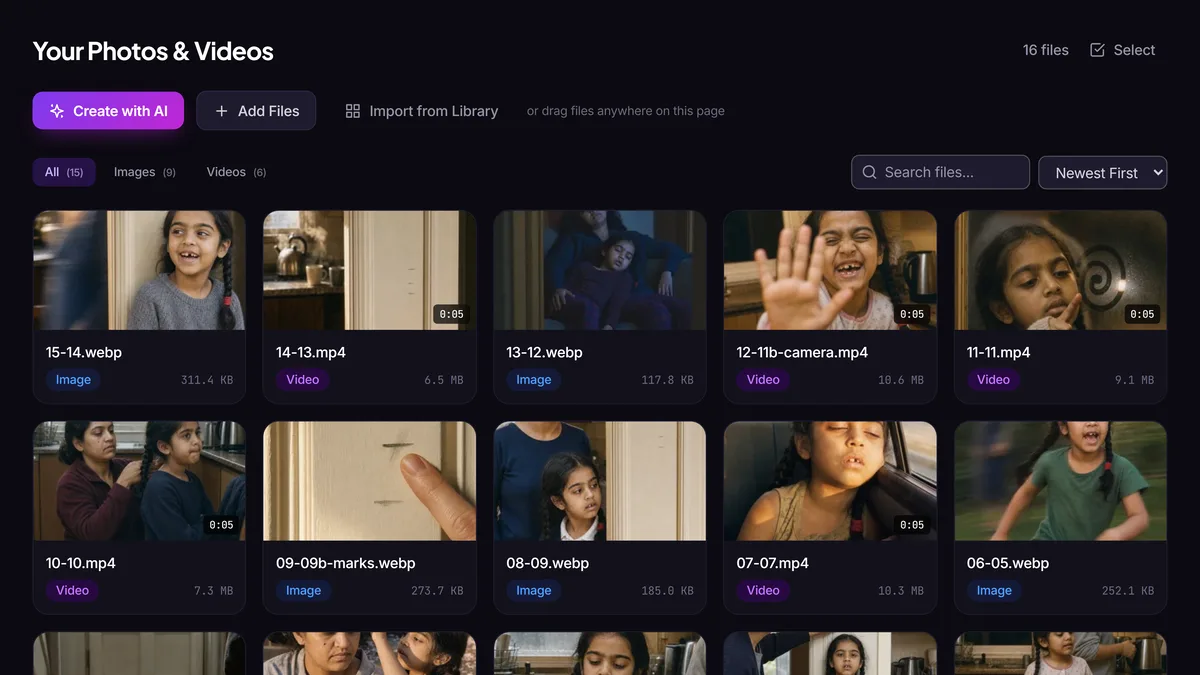
Your photos & videos
Upload media or create new visuals with AI.
- Drag in pictures or clips from your phone, camera roll, or computer
- Create with AI — generate images, animate photos, or make video clips from a description
- All media is organized within your project
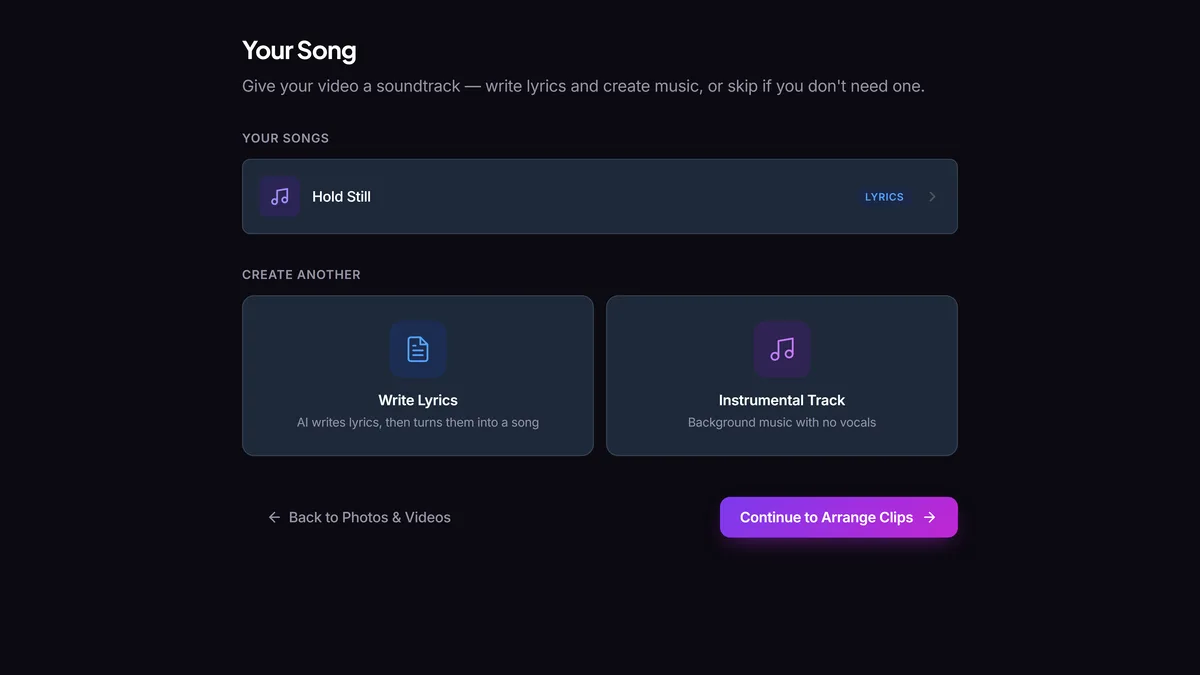
Your song
Write lyrics, generate an original song, and put the words on screen.
- Write lyrics — describe a mood or theme, AI writes the words
- Create music — generate an original instrumental or vocal track from your lyrics
- Lyrics on screen — the words appear synced to the music, in subtitle, karaoke, or word-by-word style
- Skip if you don't need music — this step is optional
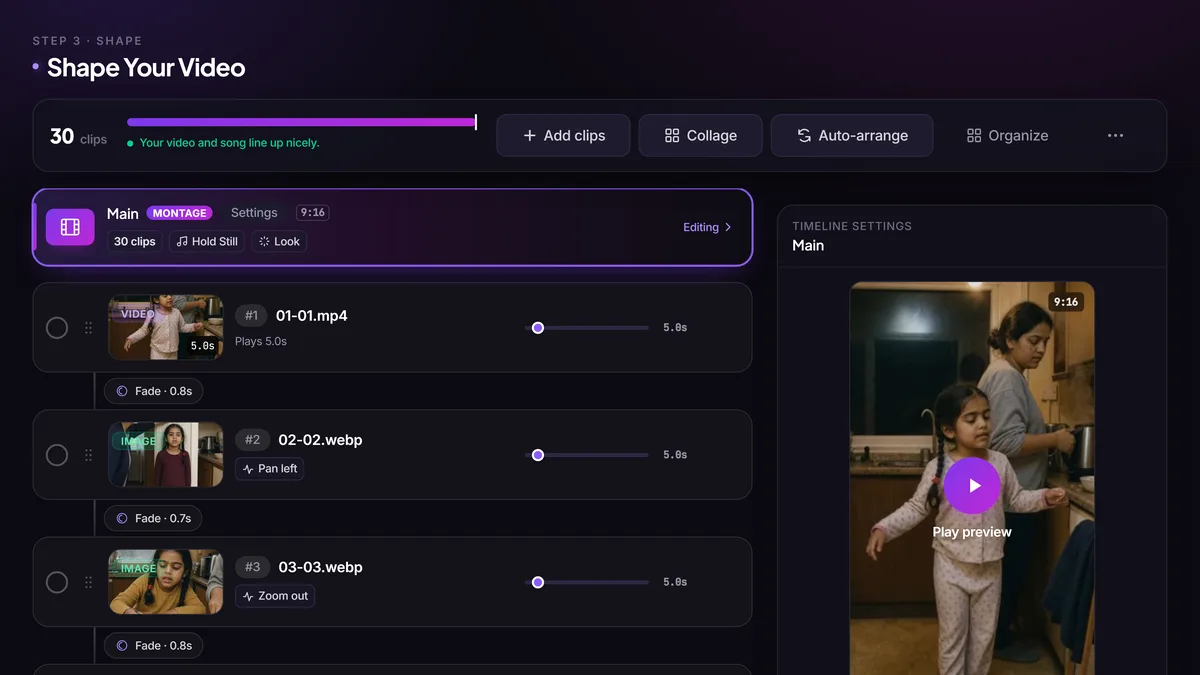
Shape your video
Arrange your clips and choose your music.
- Drag clips into order and set their duration
- Choose transitions between clips — fade, crossfade, and more
- Select which music to use — a slice of a song or the entire track
- Preview your video as you build
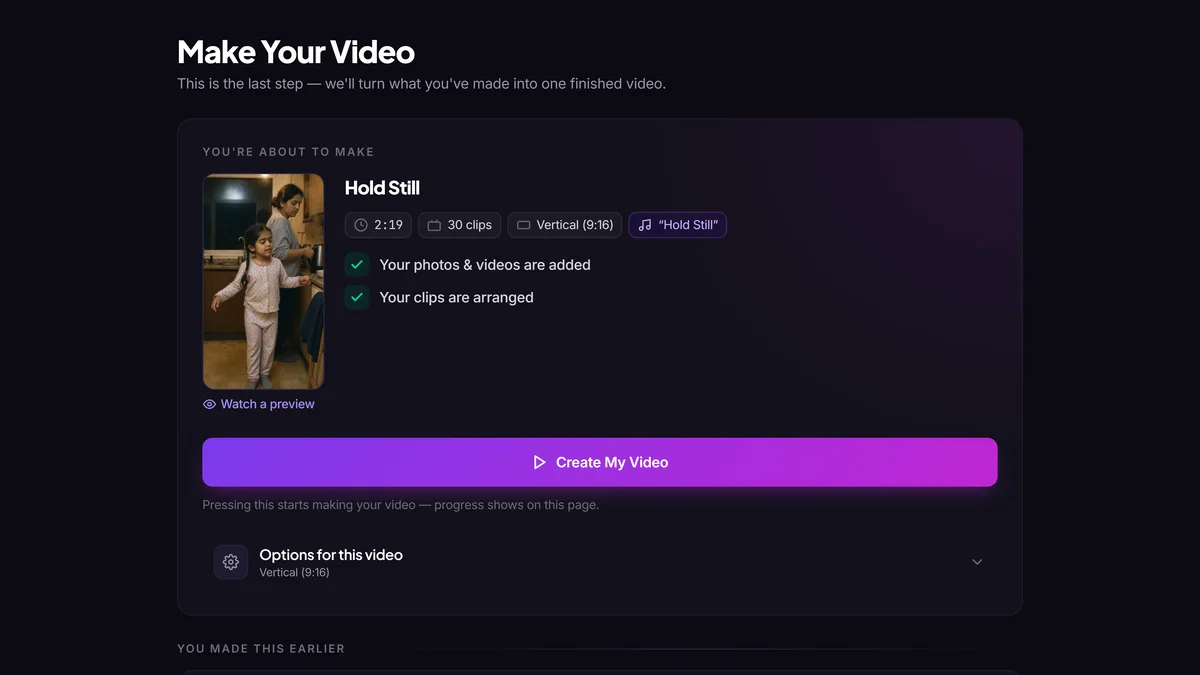
Make your video
Render your timeline into a finished video.
- Pick your aspect ratio — 16:9 landscape, 9:16 portrait for Reels/Stories, or 1:1 square
- We'll suggest if the aspect ratio differs from your project setting
- Render in 1080p, no watermarks
- Download your video and use it commercially
Frequently asked questions
Ready to try it?
Free tokens at signup — no card needed.