
Stage the proposal — before it happens
Upload one photo of you and your partner. AI restages the scene as the proposal moment — one of you kneeling with the ring, the other reacting — in a setting you choose, scored to a romantic track.
What you can pick
Hand-tuned variants. Pick the one that fits the moment — the AI handles the rest.
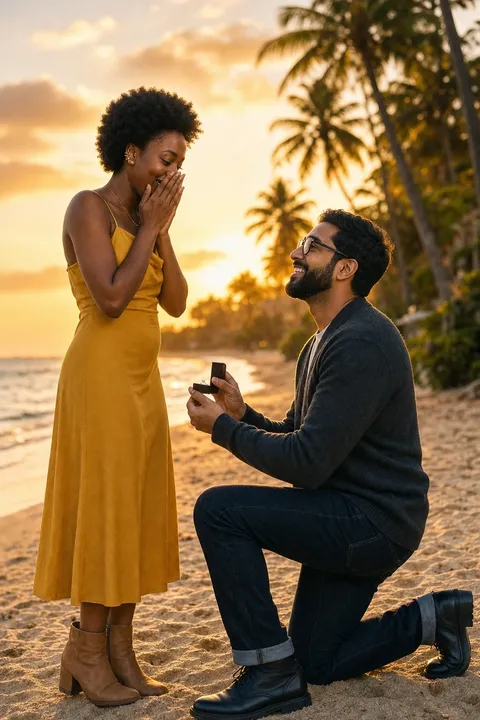
1 Beach sunset
Warm gold light, soft sand, the ocean low in frame. The classic "we eloped to the coast" energy.
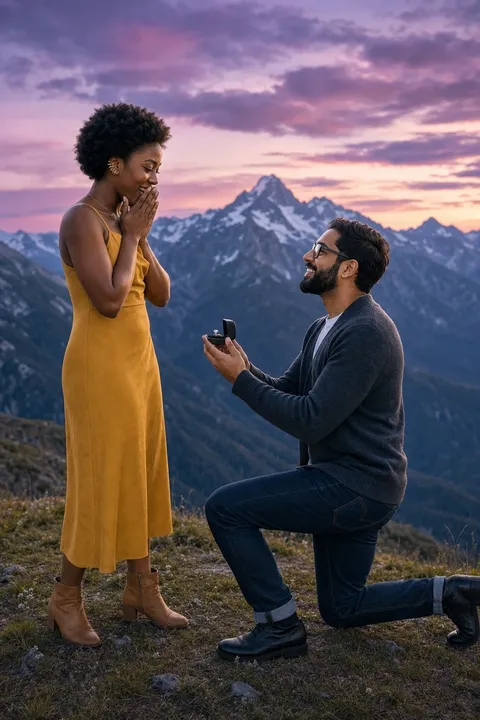
2 Mountain overlook
Crisp air, a long vista, golden hour light over a valley. Reads adventurous and quiet at once.
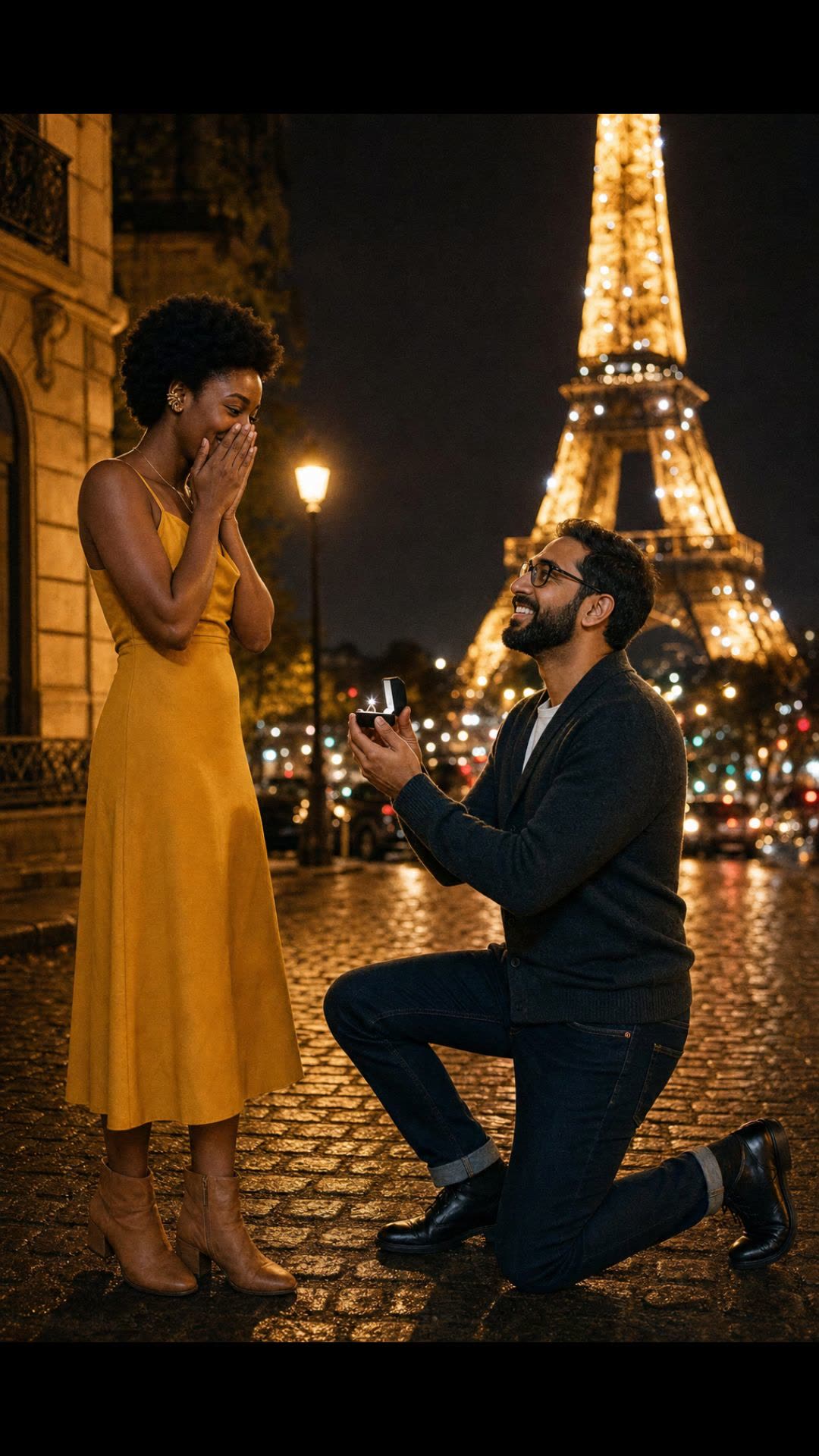
3 Paris at night
Soft city lights, the Eiffel Tower visible in the distance, a romantic blue-violet sky.
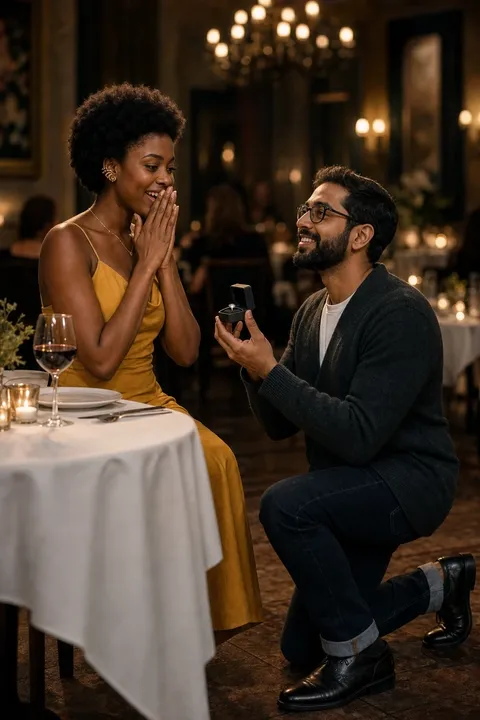
4 Candlelit dinner
An indoor restaurant scene, low warm light, candle on the table, the ring box on the linen.
Proposal videos usually mean hiring a photographer to hide in a bush, or asking a friend to film from across the restaurant. Neither is easy, both are expensive, and the result is either a Hollywood production or a shaky phone clip. OpenMuse runs a different bet: restage your existing couple photo as the moment, in a setting you choose, with the right music. Use it as a save-the-date for an engagement party, a surprise reveal for friends, or a teaser to send before the proposal happens for real.
Perfect for
Some moments this fits — there are more.
Engagement announcement
Post the AI video alongside the real news — a stylised "this is how it felt" reel.
Save-the-date
Use the video as the opening sequence of your save-the-date email or microsite.
Anniversary throwback
Recreate the proposal moment for an anniversary post without re-staging the day itself.
Engagement party teaser
Send the video to friends in the days before the party — a moving invitation.
Long-distance surprise
A pre-proposal teaser sent to family who live abroad, before the in-person moment happens.
Pre-proposal mood board
Test which setting feels most like you and your partner before booking the real location.
Tips for the best result
A few small things make a noticeable difference.
- 1
Both faces should be clear
The single biggest factor is photo quality of both faces. A clear, in-focus shot of both partners gives the AI the strongest identity anchor.
- 2
Standing, not pre-posed
Don't use a photo where one of you is already kneeling. A neutral standing or sitting shot gives the AI room to restage the moment.
- 3
Casual photos work
You don't need a professional shoot. A holiday photo, dinner selfie, or casual hike shot all work as the source. The AI handles the wardrobe and setting.
- 4
Crop to chest-up if possible
Both partners visible from the chest up reads strongest. Full-body shots still work but the reaction expressions read smaller in frame.
How it works
- 1
Upload one couple photo
Pick a photo where both faces are clearly visible and you're standing close together — outdoor, indoor, casual, formal. No need to pre-stage anything.
- 2
Pick a setting
Beach sunset, mountain overlook, Paris at night, or candlelit dinner. The AI restyles the scene around you while keeping both faces consistent.
- 3
AI restages + animates
A new image is generated with both of you in the proposal moment, then animated — one of you kneels with the ring, the other reacts — over a romantic instrumental.
Frequently asked questions
Other ways to make it
Anniversary video
Two photos, years apart. One short music video.
Read moreWedding photo video
Animate a couple photo into a tender kiss.
Read moreLego couple video
Two people become Lego. One leans in for a kiss.
Read moreLove letter video
Your words write themselves onto paper as they're sung.
Read moreReady to try it?
Free tokens at signup — no card needed.