
Make an old photo move again
Upload a single still and AI gives it natural motion — wind in the hair, a slow breath, a softening of the light — scored to a calm instrumental.
What you can pick
Hand-tuned variants. Pick the one that fits the moment — the AI handles the rest.
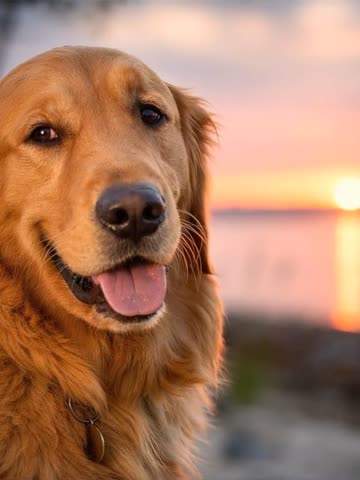
1 Cinematic
The frame closes slowly on the face, the light going soft around it. The default for portraits and tributes.
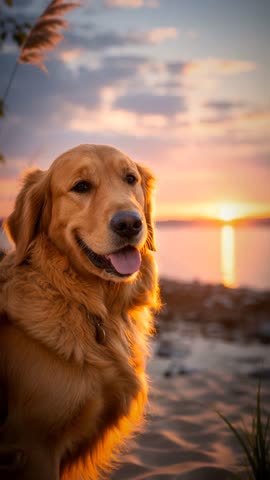
2 Dramatic
Bolder camera work, with light that shifts and rakes across the frame. Strongest on wedding-day and formal portraits.
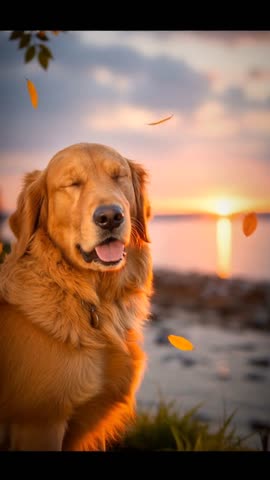
3 Gentle
Almost nothing — a breath, a lift of hair, the frame drifting a little. For a fragile print, or when the photo should barely move at all.
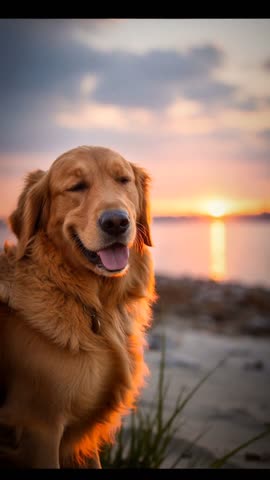
4 Energetic
Quick pans, brighter movement, more energy. Right for a party photo, a birthday table, kids caught mid-laugh.
Most old photos sit in a drawer or scroll past on a phone screen. They were taken in a moment that mattered, and they've lost the sense of being alive. OpenMuse takes a single still and adds a small amount of motion — the kind that a photo always implied but never showed — and sets it to gentle music. The result is a short video you can send to family, post for an anniversary, or keep as a quiet way of remembering someone.
Perfect for
Some moments this fits — there are more.
Memorial tribute
A quiet, respectful way to remember a parent or grandparent on an anniversary of loss.
Anniversary post
Animate the wedding-day photo for a 25th, 40th, or 50th anniversary post.
Family share
Send to cousins or grandkids who never met the person in the photo.
Photo restoration follow-up
After scanning or restoring an old print, give it one more layer of life.
Social post
A subtle, scroll-stopping motion video for Instagram, Facebook, or a family group chat.
Birthday card video
Pair an old portrait of the birthday person with a soft instrumental for a one-of-a-kind card.
Tips for the best result
A few small things make a noticeable difference.
- 1
Use a clear face shot
Photos where the face is in focus and well-lit give the most natural motion. Profile shots and group photos work too, but expression-led portraits are the strongest.
- 2
Scans beat phone-of-a-print
If you have the original print, a flat-bed scan reads cleaner than a phone photo of the print. Either works — scans just give the AI more detail to animate.
- 3
Resolution matters more than format
JPG, PNG, HEIC, WebP all upload fine. What helps is resolution — anything above 1000px on the long edge gives the AI room to work.
- 4
One subject reads better than a crowd
A photo of one person gets the cleanest animation. Group photos still work but the motion is shared across more faces, so each individual moves less.
How it works
- 1
Upload one photo
A scan, a phone shot, or a screenshot — anything roughly in focus works. One picture is all you need.
- 2
AI animates and scores it
A short instrumental track is generated to match. The motion is subtle on purpose — the goal is "this photo, alive," not a deepfake.
- 3
Download or edit further
The finished video is usually ready in about 2–3 minutes. Open it in the full editor if you want to extend, retime, or swap the music.