
Turn yourself into a cartoon — then watch it move
Upload a selfie or a couple photo, pick a cartoon style, and AI turns you into an adorably exaggerated caricature — giant head, tiny body — then brings it to life with a bouncy come-alive gag. Your real photo cuts straight to cartoon-you springing off the screen.
What you can pick
Hand-tuned variants. Pick the one that fits the moment — the AI handles the rest.
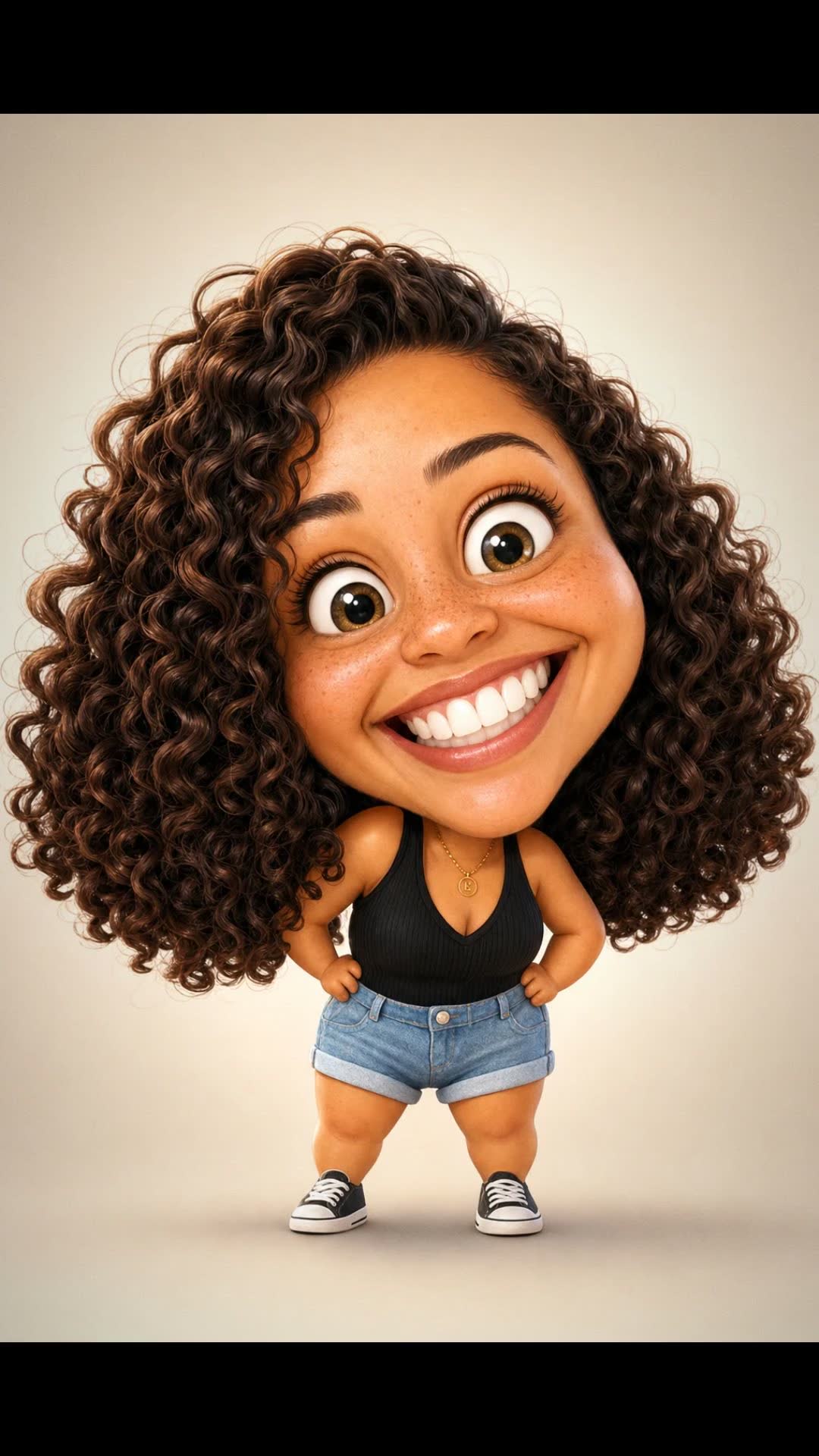
1 3D Toon
The big-head, family-film look — smooth 3D shading, oversized head, tiny body. The most universally flattering pick.
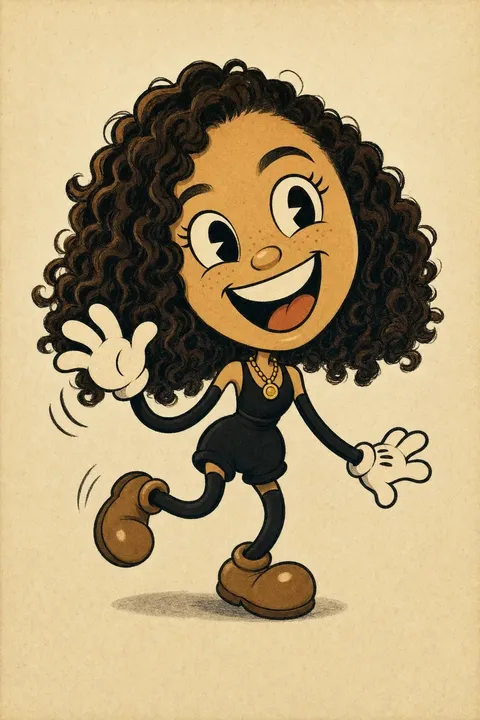
2 Rubber Hose
1930s pie-eyed cartoon — bold black ink, flat cel colours, rubber-limb bounce, and warm paper grain.
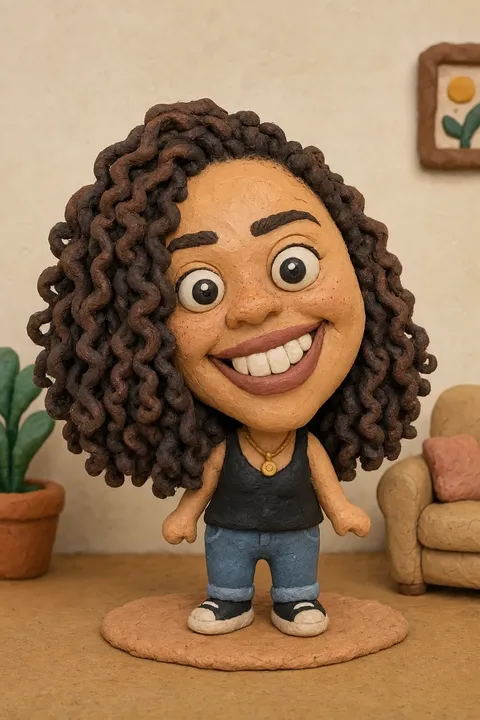
3 Claymation
Stop-motion clay — hand-moulded texture, thumbprints and all. Reads warm and tactile.
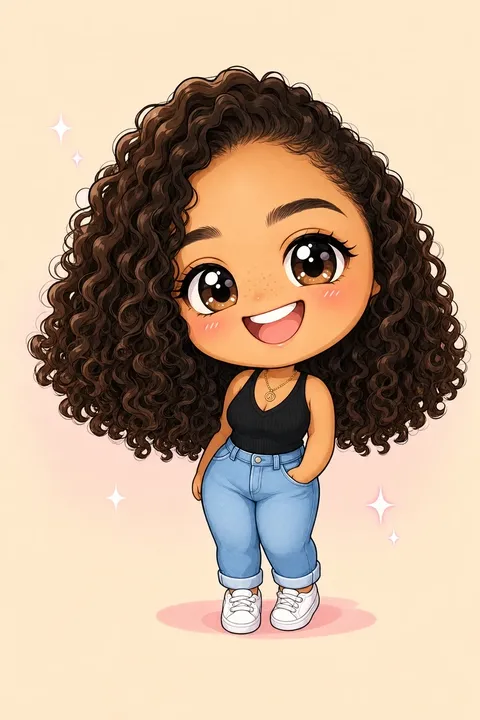
4 Chibi
Cute big-eyed mini — tiny body, huge eyes, maximum sweetness. Strong for couples and kids.
Cartoon-avatar filters are everywhere, and almost all of them do the same thing: flatten your face into a generic sticker that barely looks like you and never moves. This runs a slower, more deliberate process — restyle you into a proper caricature with your features exaggerated but still recognisable, then animate a short come-alive gag so the cartoon actually springs, waves, or dances. Your real photo cuts to the cartoon version leaping to life, scored with a playful track. It reads like a tiny animated short of you, not a frozen filter.
Perfect for
Some moments this fits — there are more.
Profile picture
Use a frame from the cartoon as a new avatar across social, Discord, or a work chat.
Birthday post
A cartoon of the birthday person springing to life makes a better post than another flat photo.
Make a kid laugh
Cartoon a child — or the whole family — and watch them replay the come-alive gag on a loop.
Couple caricature
Upload a photo of the two of you and get a cartoon pair — a fun anniversary or just-because send.
Social reveal
Post the real-photo-to-cartoon cut as a "new look" reveal on TikTok or Reels.
Group-chat gag
Cartoon a mate mid-gesture and drop it in the chat — the come-alive bounce does the comedy.
Tips for the best result
A few small things make a noticeable difference.
- 1
Front-facing reads strongest
Caricature works best when both eyes and the mouth are clearly visible. A straight-on selfie gives the cleanest, most recognisable exaggeration.
- 2
Check the cartoon still first
The effect pauses on the cartoon image before it animates. Look at it — if the likeness isn't there, re-run with a clearer photo before spending on the video.
- 3
Expressive photos make funnier cartoons
A big smile or a raised eyebrow in the source exaggerates into a stronger caricature than a flat, neutral face.
- 4
Two faces work, but crop tight
Couples cartoon nicely; just make sure both faces are close together and clearly visible. A distant background face gets less detail.
How it works
- 1
Upload a selfie or couple photo
A front-facing photo where faces are clearly visible works best — one person or two. Indoor, outdoor, casual, all fine.
- 2
Pick a cartoon style
Choose 3D toon, rubber-hose, claymation, or chibi. You see the cartoon still before committing to the animation, so you only pay for the moving version once you like the look.
- 3
Watch it come alive
Pick a come-alive gag — a boing, a wave, a happy dance, a blown kiss, or type your own — and the cartoon springs to life over a playful track. A few minutes end to end.
Frequently asked questions
Other ways to make it
Photo to anime
Upload a portrait. Watch yourself transform.
Read moreTime travel selfie
One selfie. Pick a decade. Watch yourself transform.
Read moreLego couple video
Two people become Lego. One leans in for a kiss.
Read moreAI pet costume video
Dress your pet up. Watch the magical reveal.
Read more