
See yourself in another era
Upload one selfie. AI restyles you in 1920s, 1970s, 1990s, or far-future fashion — hair, wardrobe, lighting all true to the decade — then animates the morph between today and back-then.
What you can pick
Hand-tuned variants. Pick the one that fits the moment — the AI handles the rest.
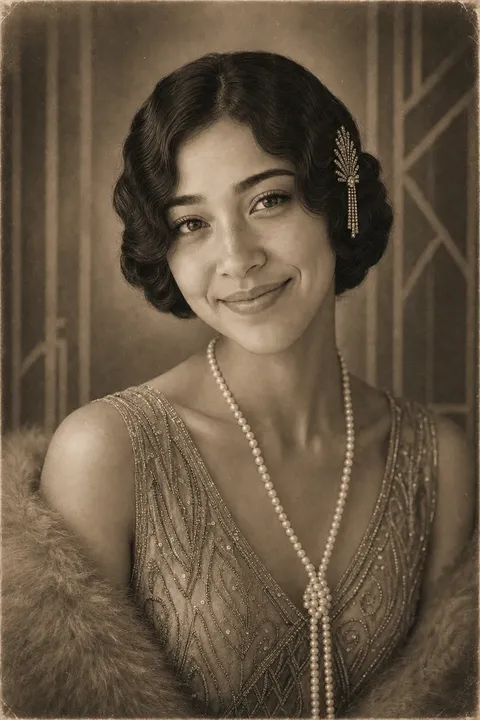
1 1920s
Flapper-era styling, sepia tones, art-deco lighting. Works on any face, especially strong with short hair.
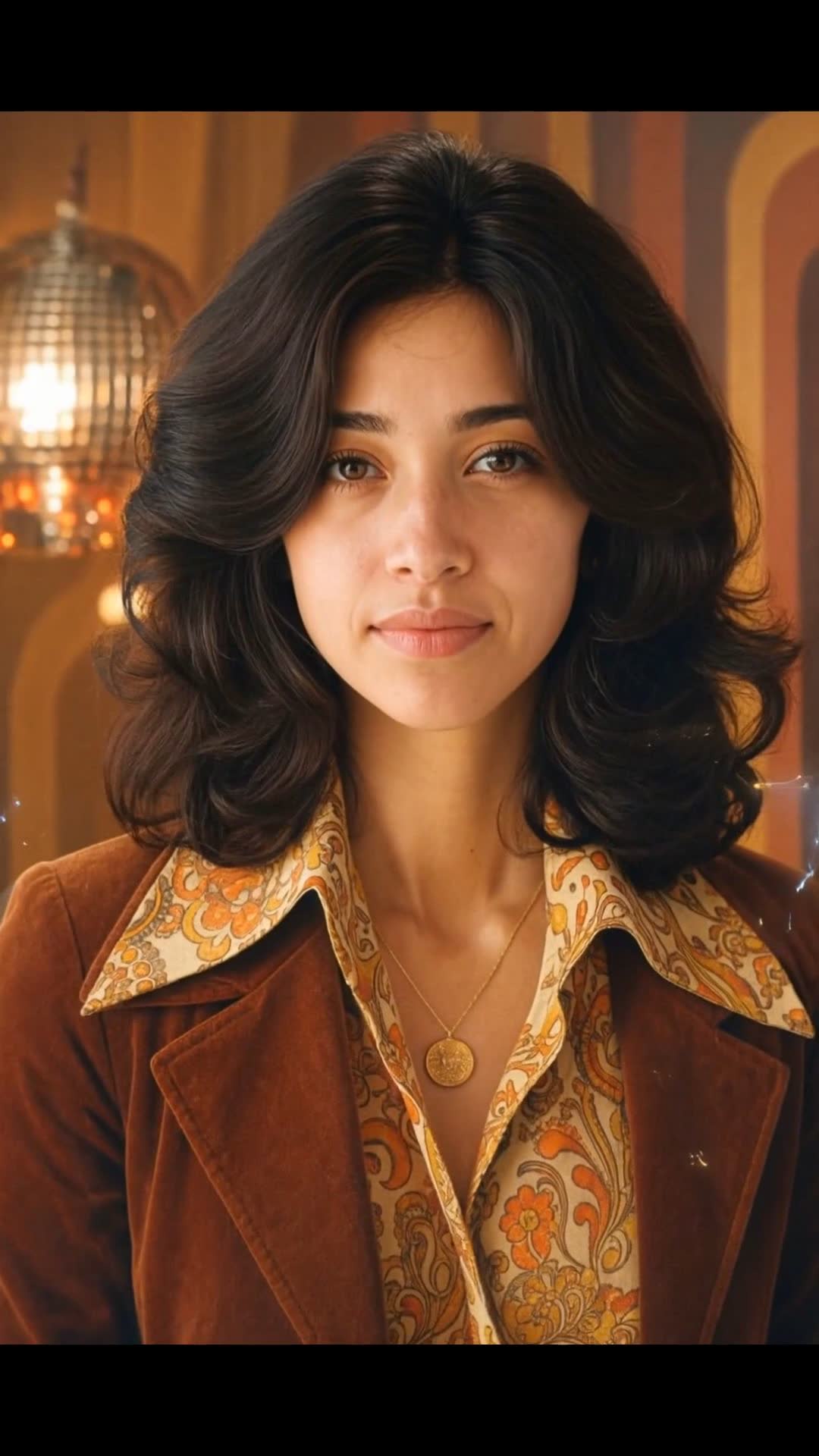
2 1970s
Warm Kodachrome tones, big hair, denim or earth-tone wardrobe. The default for the "rock-and-roll kid" look.
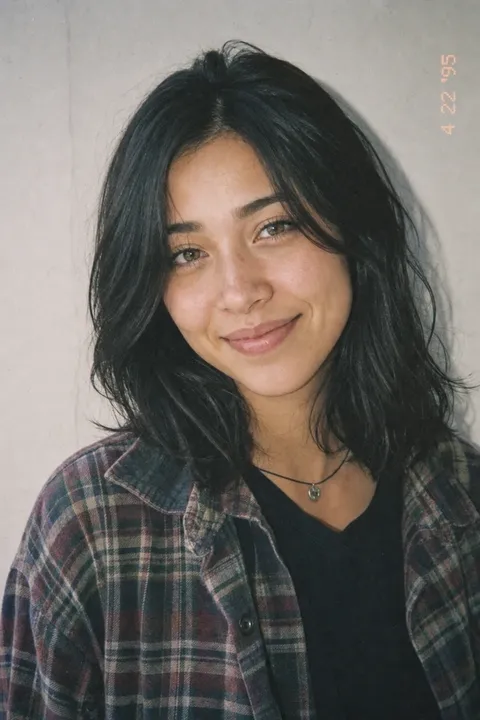
3 1990s
Flannel, choker chains, grainy point-and-shoot film stock. Reads strongest on millennials and gen Z.
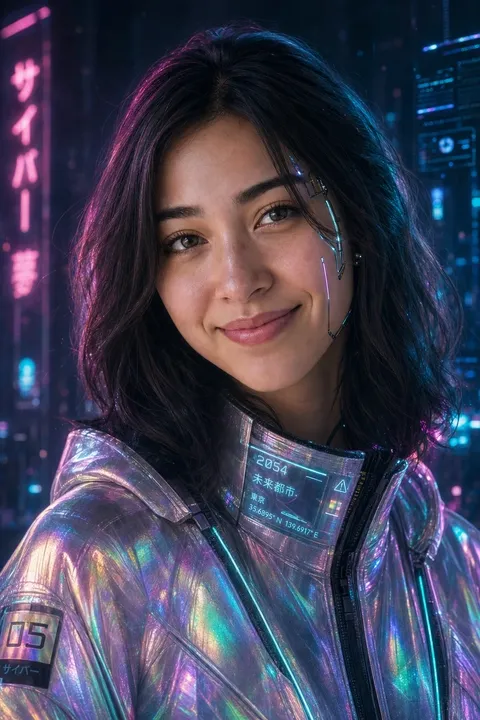
4 Future
Neon-edge lighting, sci-fi wardrobe, soft cyan-magenta palette. The "and far ahead too" option.
You've seen the trend — someone shows up in their feed as a flapper, a 70s rock kid, or a 90s slacker, and the comments go wild. The standard tools to do this require five different apps and a half-hour of fiddling. OpenMuse runs one upload, one era pick, one tap. The AI handles the wardrobe, the hairstyle, the film stock, the lighting. You get a short morph video, scored to a nostalgic instrumental, usually in about 4–8 minutes.
Perfect for
Some moments this fits — there are more.
Birthday card for a parent
Send a 70s version of yourself to your dad on his 60th — much funnier than a card.
Viral trend reel
The "if I lived in the 90s" trend lands harder when the video is yours, not a stock filter.
Costume party teaser
A 1920s selfie video makes a stronger themed-party invitation than a flat email.
Milestone birthday surprise
A 1970s version of the birthday person, sent the morning of their 50th, lands every time.
Friendship-group group chat
Send a 90s self to your group chat — guaranteed reaction.
Profile pic refresh
Use a still frame from the future version as a sci-fi avatar.
Tips for the best result
A few small things make a noticeable difference.
- 1
Front-facing selfie works best
A clear, head-on photo gives the AI the most identity to anchor on. Side profiles and three-quarter angles work too but read slightly softer.
- 2
Neutral background helps
A plain wall or simple setting lets the era styling carry the look. Busy backgrounds still work but the era cues read stronger when the background is clean.
- 3
70s and 90s read strongest for most faces
Those two eras have the broadest fashion fingerprint. 1920s reads best with shorter hair, Future works best with a more composed expression.
- 4
Pair multiple eras into a longer reel
Generate the same selfie in all four eras and stitch them together in the full editor — a "me, across time" reel is more striking than any single decade.
How it works
- 1
Upload one selfie
A clear, well-lit selfie — front-facing reads strongest but three-quarter angles also work. Indoor or outdoor.
- 2
Pick an era
1920s, 1970s, 1990s, or Future. Each is hand-tuned with period-accurate wardrobe, hair, and film stock.
- 3
AI restyles + animates the morph
A new image is generated of you in that era, then animated as a short morph from today to back-then over a nostalgic instrumental.
Frequently asked questions
Other ways to make it
Photo to anime
Upload a portrait. Watch yourself transform.
Read moreGet-ready-with-me video
Three photos. No filming. The outfit puts itself on.
Read moreCartoon yourself
Become a big-head cartoon — then watch it come alive.
Read moreAction movie trailer
See yourself as the hero of your own action movie.
Read more