
Turn a photo into a time-lapse
Upload one landscape, skyline, or horizon photo, pick a time-of-day shift, and AI animates a cinematic time-lapse — clouds drifting, light sweeping, the sky changing — then scores it. One still, no decisions, a moving postcard.
What you can pick
Hand-tuned variants. Pick the one that fits the moment — the AI handles the rest.
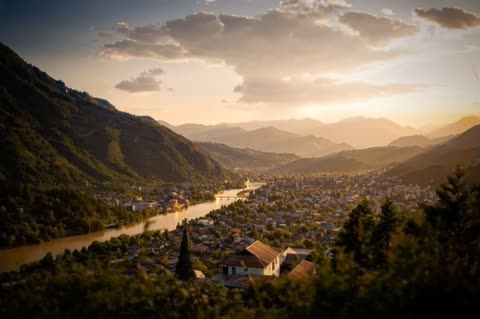
1 Sunrise
Night breaks into dawn — the sky lightens, colour returns, the first sun edges in.
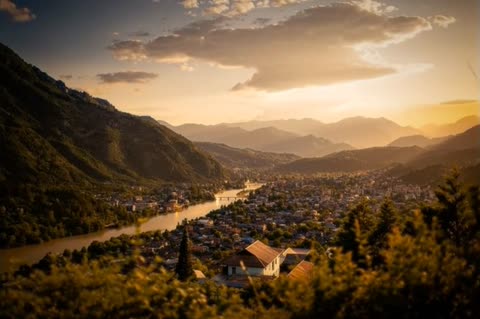
2 Golden hour
Warm, low, late-afternoon sun with long light and drifting cloud. The safe, flattering default.
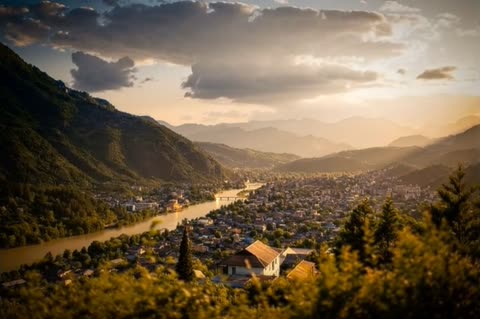
3 Passing storm
Dramatic cloud rolling through — moody, cinematic, strongest over open skies and coastlines.
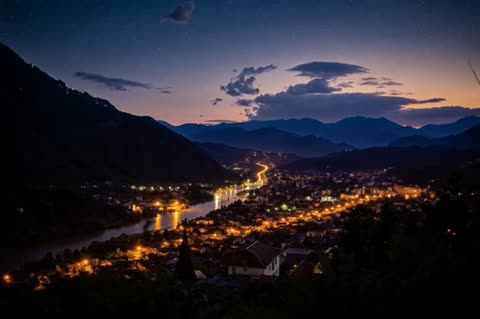
4 Day to night
The scene shifts from daylight into dusk and on into city lights — the most transformation for the money.
You took the shot because the view stopped you — a coastline, a city skyline, a mountain at dusk. On the phone it's a nice still, but the thing that actually moved you, the sky changing, isn't in it. A real time-lapse means a tripod, an hour of standing there, and software to stitch it. This takes the one photo you already have and animates the motion the scene implied: clouds rolling through, light sweeping across, day turning into a lit-up night, scored to a cinematic track. A few minutes later the frozen view is moving.
Perfect for
Some moments this fits — there are more.
Travel photo
Turn the best view from a trip into a moving postcard for a post or a memory reel.
Landscape photography
Give a favourite landscape frame the sky motion it never had — a striking share for a photo feed.
Property and real estate
A gentle day-to-golden-hour move over a building or a view makes a listing header feel premium.
Ambient background
A looping time-lapse of a calm scene works as a phone or desktop backdrop, or behind a stream.
Social post
A moving sky stops the scroll where a still landscape doesn't — an easy, scroll-catching post.
Event or venue backdrop
A slow skyline time-lapse plays well on a screen behind a talk, a party, or a welcome slide.
Tips for the best result
A few small things make a noticeable difference.
- 1
Skies and horizons work best
The effect animates the sky and the light, so scenes with visible sky, cloud, or a horizon transform most. A flat close-up with no sky has less to move.
- 2
Portraits aren't the use case
This is built for places, not people. A photo of a person won't time-lapse convincingly — reach for one of the other effects for a portrait.
- 3
More sky, more drama
The more of the frame that's open sky, the more room clouds and light have to sweep. Wide, uncluttered horizons give the strongest result.
- 4
Higher resolution reads sharper
Anything above about 1000px on the long edge gives the AI detail to animate cleanly. Very small or heavily compressed images come out softer.
How it works
- 1
Upload one photo
A landscape, skyline, mountain, or horizon shot — somewhere the sky has room to move. Higher resolution gives the AI more to work with.
- 2
Pick a time of day
Sunrise, golden hour, a passing storm, or day-to-night. Each drives a different sky and light behaviour across the clip.
- 3
We animate and score it
The scene is animated into a cinematic time-lapse and set to a fitting instrumental. A few minutes later you have a moving version to download.
Frequently asked questions
Other ways to make it
Animate old photos
Add gentle motion and music to a single still.
Read moreTravel slideshow
Pick 3–12 photos. AI cuts a cinematic trip reel.
Read moreMake a travel video with AI
A 2:44 road-trip film, one couple, fifteen shots — and nobody left the house.
Read moreNeon ring video
Your photo in a neon ring that pulses with your song.
Read more